Back to Changelog
Falconer October 2026 changelog
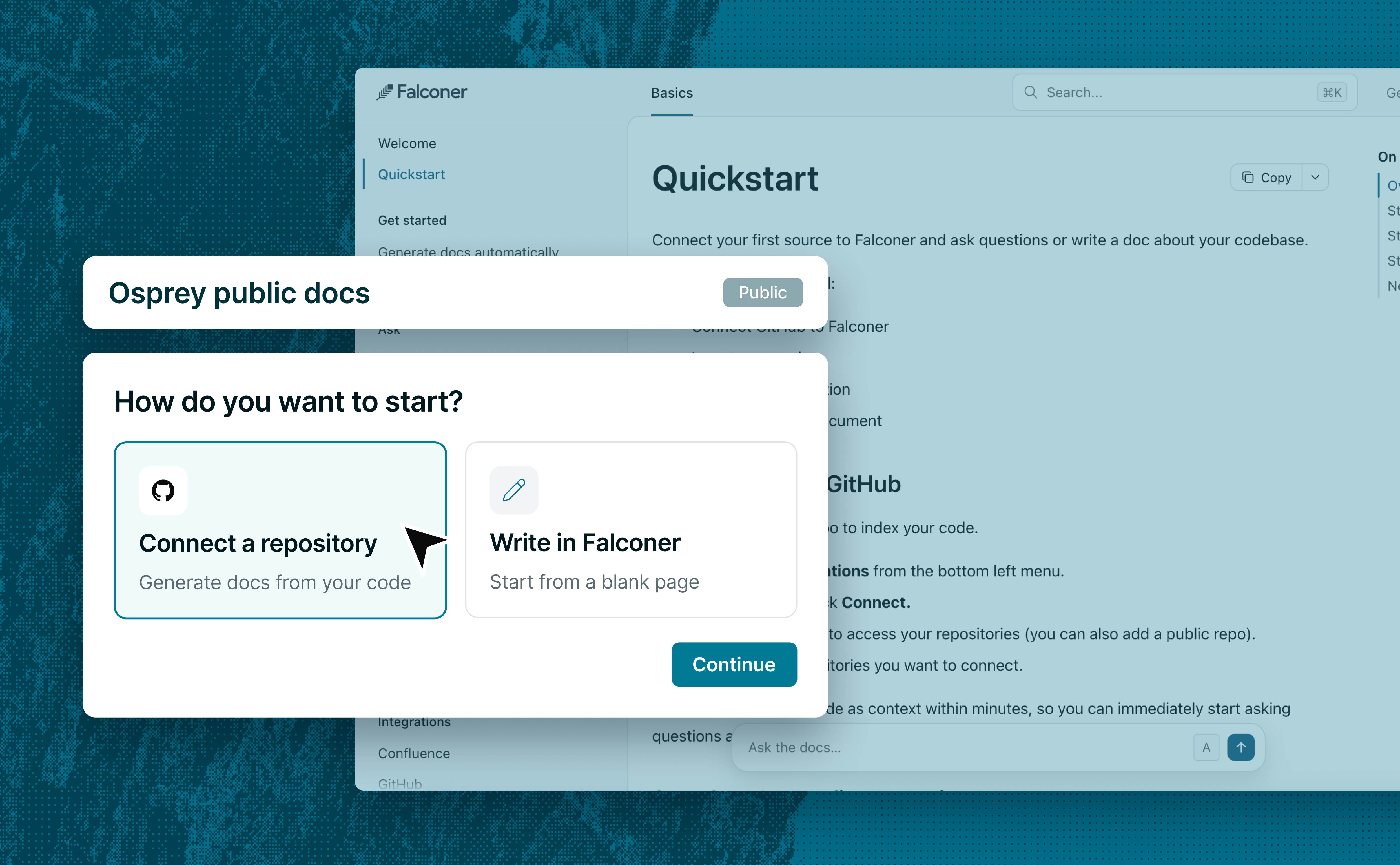
Public docs hosting
- Publish customer-facing docs from your knowledge base. Turn a Space into a docs site with navigation, search, and an AI assistant.
- Preview, publish, and restore earlier versions of your docs site. Preview a build privately, share with a colleague, publish it, or restore an earlier build. Keep editing with a live preview of your docs.
- Configure branding and custom domains. Customize branding, navigation, page actions, and analytics. Host docs on your own domain, as a subdomain or subpath.
- Write in the editor or a GitHub repo. Publish from the Falconer editor or a synced repository. Site settings live in a JSON file, so engineers can edit configuration in Git.
- Publish Markdown for AI agents.
Falconer generates sitemap, Markdown pages,
llms.txt, andllms-full.txtwith every build. Readers can copy a page or open it in ChatGPT or Claude. - Control docs site access and redirect old links. Exclude private pages or protect the entire site with a shared password. Falconer redirects old links when you move pages.
- Bring your existing docs with you. Import content, navigation, redirects, and supported branding settings from your GitHub repositories.
- Review user feedback, broken links, and Knowledge Health findings. Track helpfulness votes by page. Falconer checks internal page and heading links during builds. Enable Knowledge Health to review published-page findings in the site’s Issues view.
- Manage your docs site through MCP, the CLI, and the API. Build, publish, and configure your site from your agent or scripts.
Two-way GitHub sync
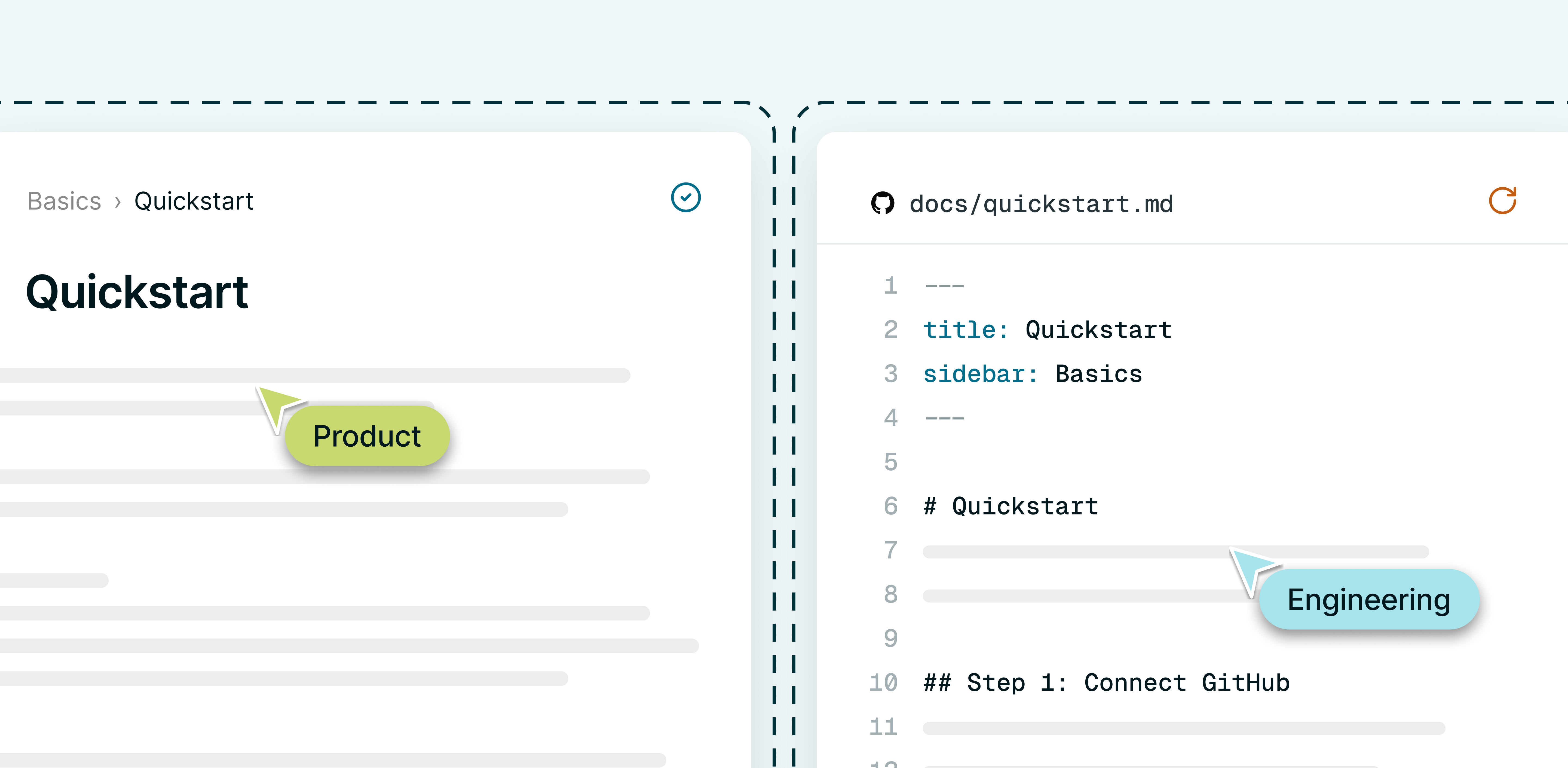
- Keep docs in sync between Falconer and GitHub. Falconer pulls GitHub changes automatically. Push your edits back when ready and resolve any overlapping changes.
- Review doc changes before pushing to GitHub. Compare changes, select what to include, and push a commit or open a pull request. Use or edit Falconer’s suggested commit message.
- Manage GitHub-synced docs and files in one Space. Browse Markdown pages, images, and other files in a synced Space’s Docs and Files views. Choose an existing GitHub branch or create one during setup.
- Export Falconer docs to GitHub. Connect a Space to a repository, export its docs, and keep both in sync.
Knowledge Health
- Run or schedule Knowledge Health scans. Start a scan when needed or schedule recurring scans. Knowledge Health checks connected documentation against other sources and code.
- Choose which sources Knowledge Health scans. Select connected apps, Spaces, and repositories in Knowledge Health settings.
- Search Knowledge Health findings in Slack. Ask Falconer about Knowledge Health findings without opening the dashboard.
Agent and collaboration
- Invite teammates to read and reply in Falconer chats. Mention a teammate to invite them into the conversation.
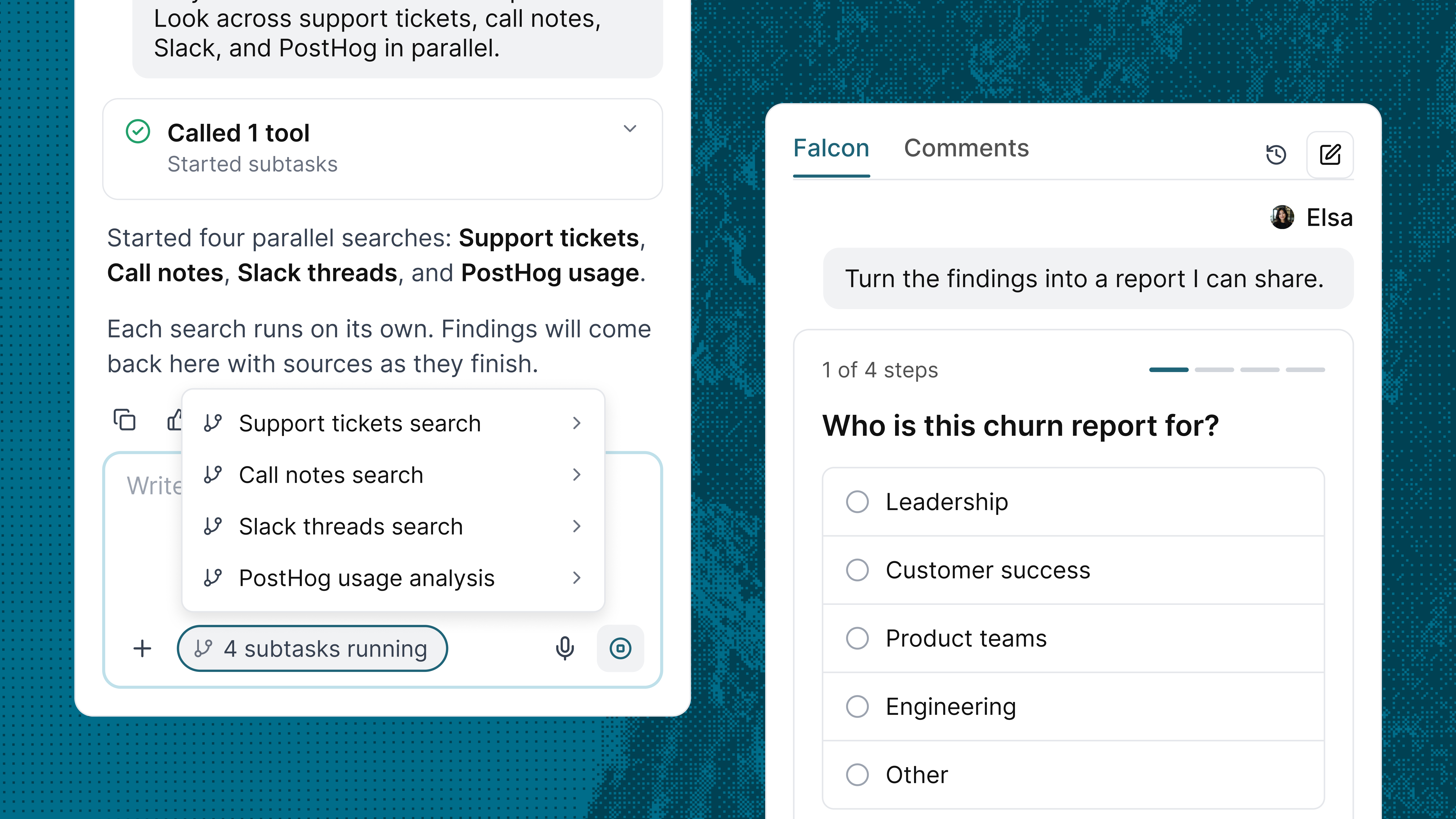
- Guide running Falconer tasks and track parallel work. Send follow-up instructions for Falconer to read at its next step. Falconer can split independent work into parallel subtasks, show their activity, and return results to the main chat.
- Answer follow-up questions with forms. Select options, dates, people, or documents directly in web chat and Slack.
- Browse websites and complete tasks with Falconer. Ask Falconer to navigate sites, fill forms, take screenshots, or record demos. Take control privately for sign-in in supported web sessions.
- Browse folders in connected apps and search within them. Ask what a folder contains or limit a search to that folder.
- Ask Falconer questions about your connected database. Connect a PostgreSQL or MySQL database and give Falconer read access to selected tables and fields.
Files and media
- Process, save, and reuse files. Work with uploads, save results to your Library, and search or reuse files without re-uploading. Replace files without changing their links and set sharing permissions.
- Create images, videos, and narration, or transcribe recordings. Create or revise images, generate short videos or narration, re-voice recordings, and transcribe audio or video. Save results or add them to docs.
Docs, editor, and organization
- Move content between Spaces and duplicate entire folders. Review cross-Space moves, undo individual changes, and confirm broader access.
- Add typed table columns and details from linked records. Use dates, numbers, currency, checkboxes, options, and linked records in your tables. Add lookup columns to show details such as status or assignee.
Ready to get started?
Create an account and start building your knowledge base — no contracts or credit card required. Or, contact us to design a custom package for your team.
Ready to get started?
Create an account and start building your knowledge base — no contracts or credit card required. Or, contact us to design a custom package for your team.